
Recipes
Recipes are the orchestration layer that composes agents, actions, and conditions into automated workflows.
The Building Blocks
Cairn builds on Claude Code's native concepts:
- Skills are situational prompts—injectable expertise agents can retrieve on demand.
- Agents. are prompt + permissions, a persona with specific tools and behaviors.
- Recipes define when agents run, how context flows between them, and what conditions gate progress.
What is a Recipe?
A recipe is a workflow defined as a graph. Nodes represent units of work, and edges define the order they run in.
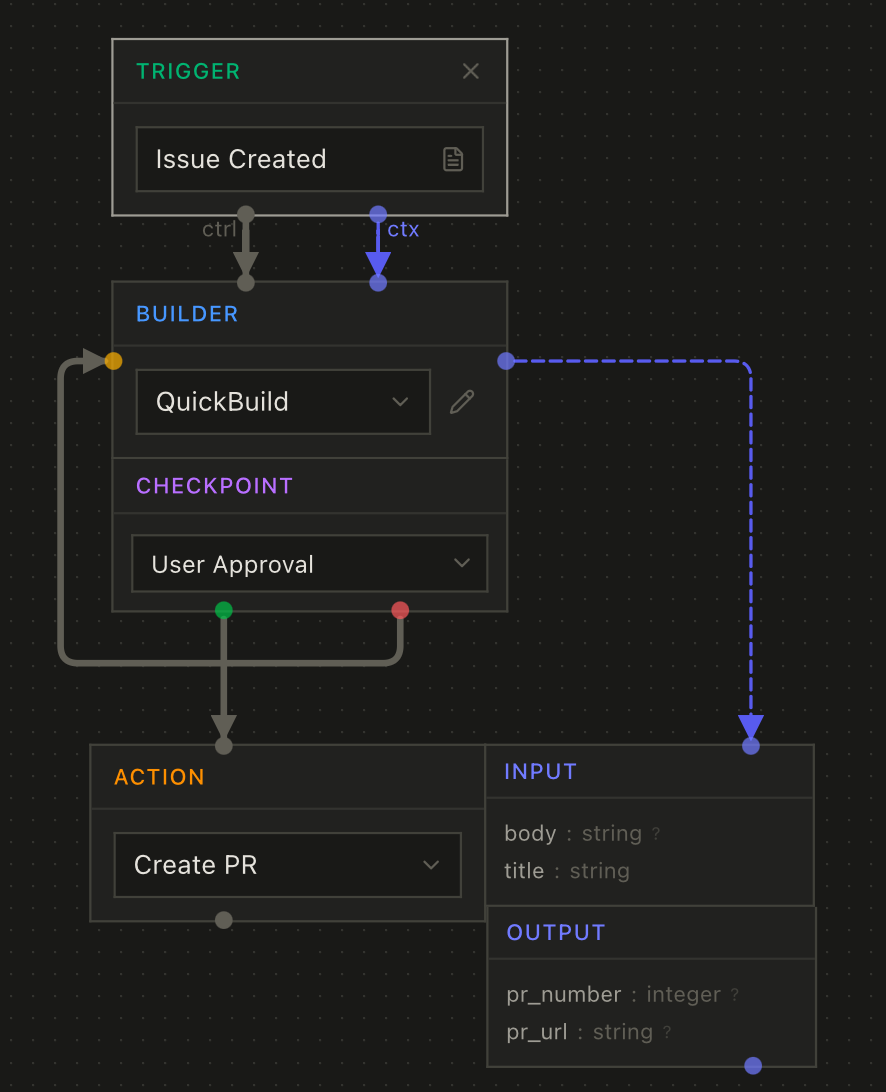
The graph consists of:
- Nodes representing units of work (triggers, agents, actions, conditions, context)
- Edges connecting nodes in two ways:
- Control edges (solid lines) define execution order—"run this after that"
- Context edges (dashed lines) define data flow—"pass this output as input"
Node Types
Trigger Node
The entry point that starts the recipe. Every recipe has at least one trigger.
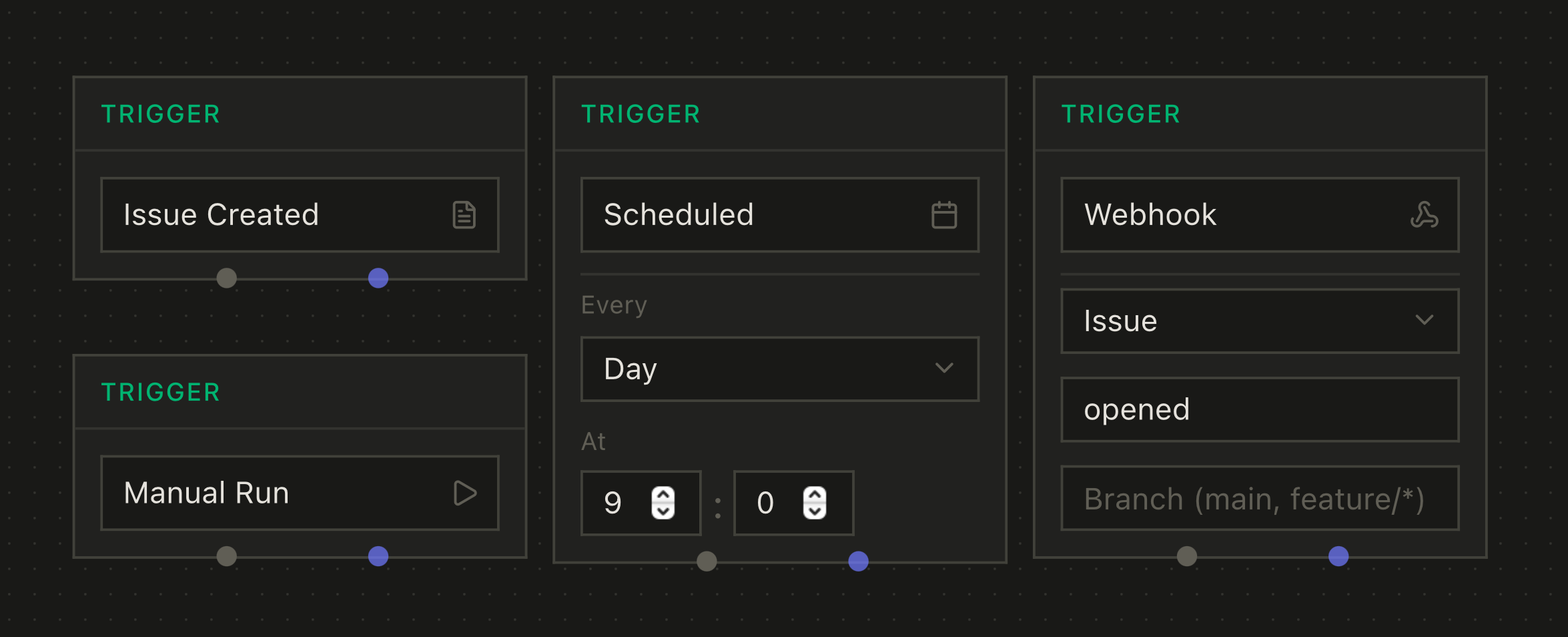
Trigger types:
issue— Starts when an issue is runmanual— Starts on explicit user actionschedule— Starts on a cron schedulewebhook— Starts when a webhook is received
The trigger type determines what context is available to downstream nodes. An issue trigger provides the issue's title, description, and metadata. A webhook trigger provides the payload.
Agent Node
Spawns a Claude agent session, creating a Job in Cairn.
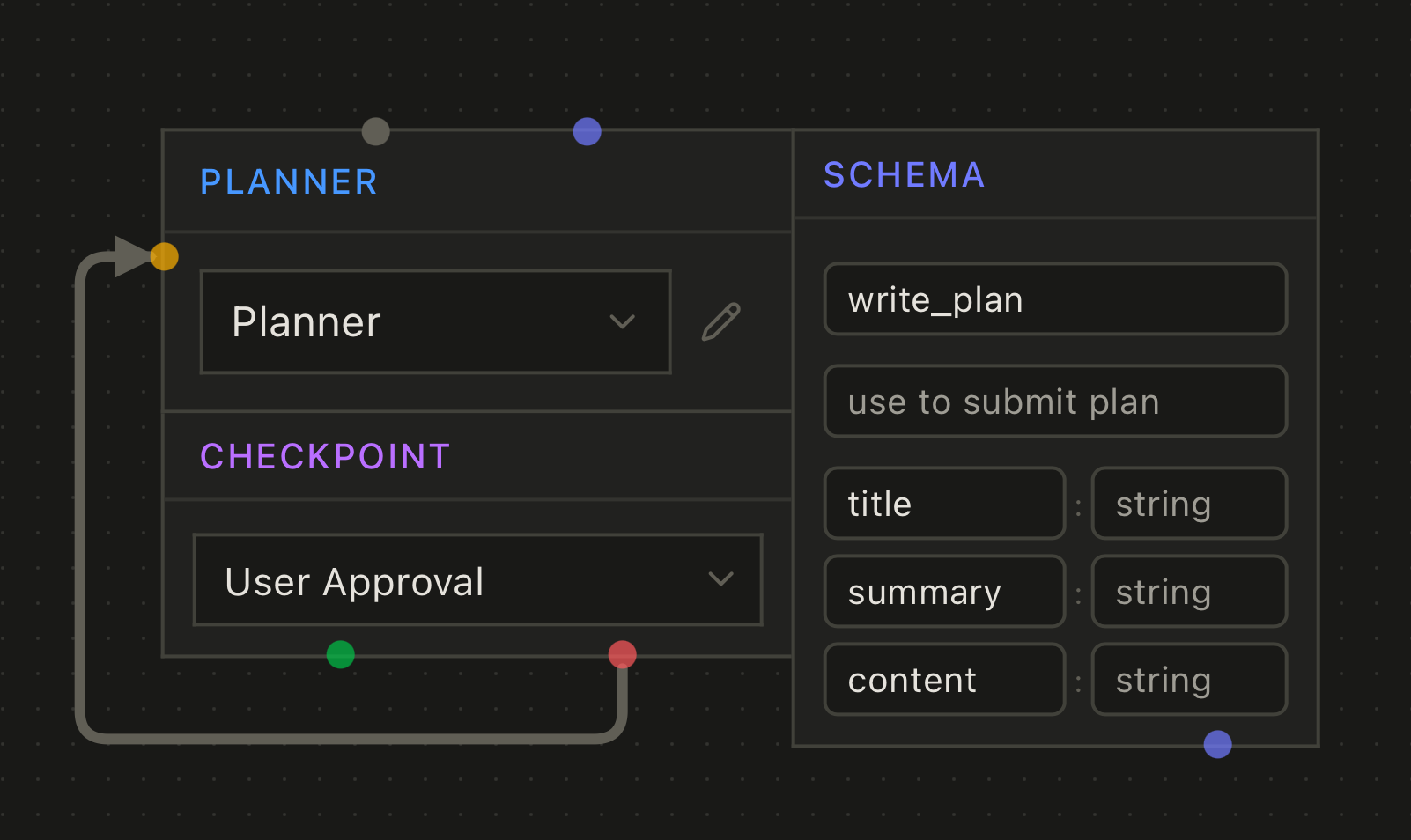
Configuration:
- Agent config — References an agent by ID (your
.cairn/agents/*.mdfiles) - Output schema — Optional structured data the agent must produce
Output schemas let you define structured data the agent produces. When configured, Cairn gives the agent a tool to submit results. You can name the tool to make its purpose clear—for example, a schema named create_pr gives the agent a create_pr tool. If you don't specify a name, agents get a generic return tool.
The agent's output becomes an artifact that downstream nodes can reference via context edges.
Action Node
Runs shell commands or scripts as part of the workflow.
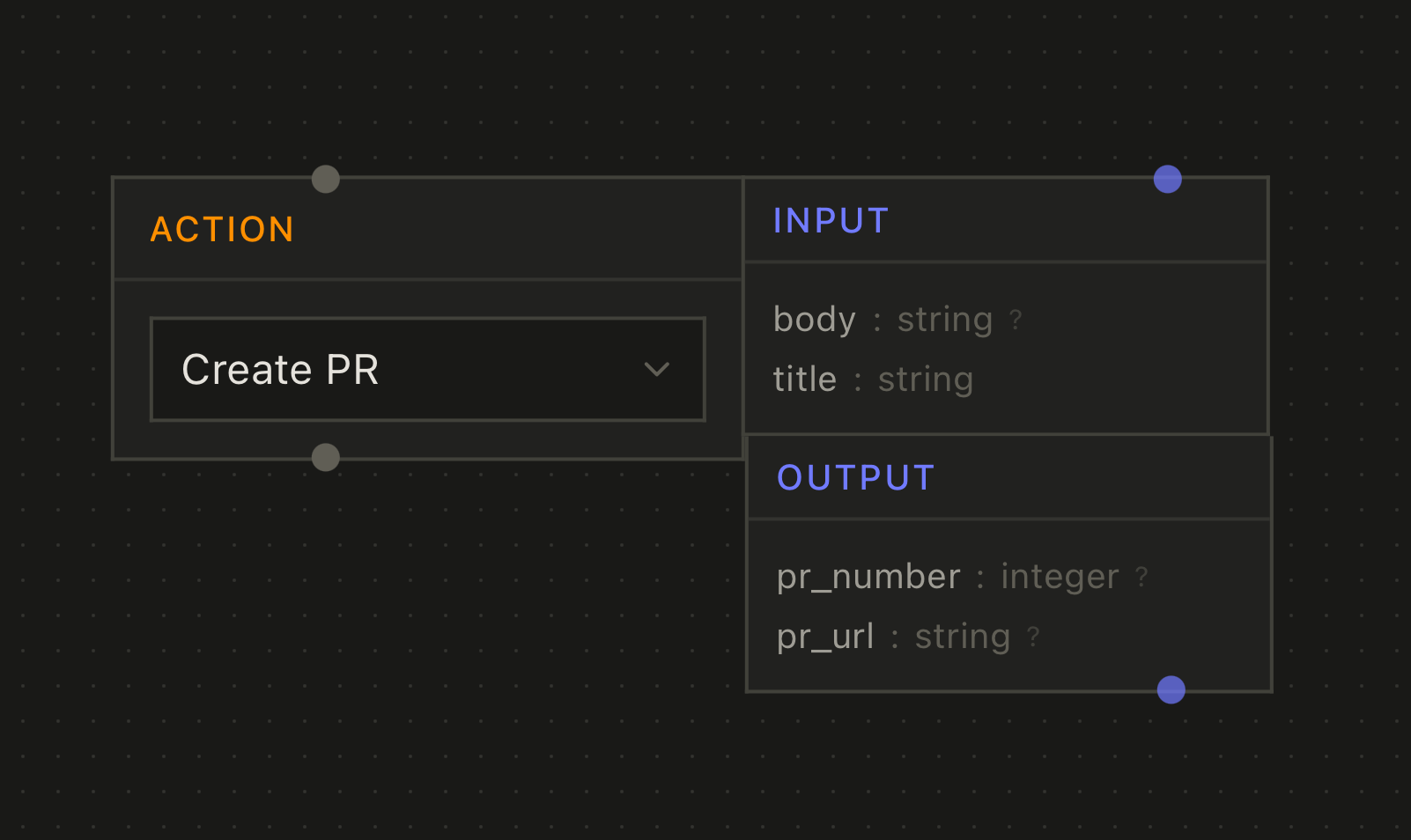
Configuration:
- Command — The shell command to execute
- Input schema — Optional typed parameters from upstream context
- Output schema — Optional structured output for downstream nodes
Actions are useful for:
- Running tests or linters between agent steps
- Transforming data between nodes
- Calling external APIs or scripts
Condition Node
Branches execution based on logic, routing to named output ports.
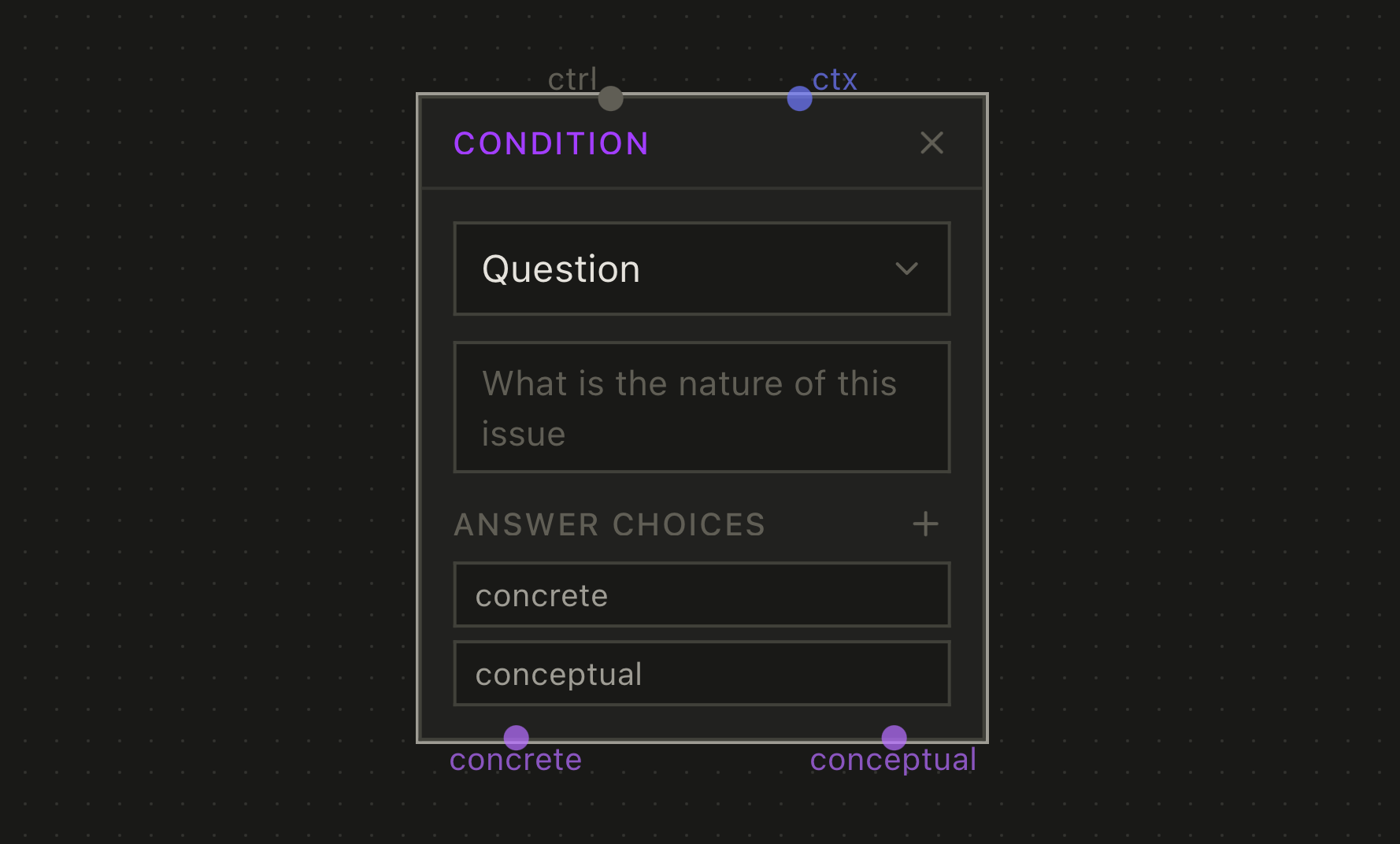
Two evaluation modes:
Command — Runs a shell command and branches based on the result. Use for deterministic branching like checking exit codes or parsing output.
Question — Asks a language model to classify or decide. Use when the decision requires understanding natural language or nuanced context.
Output ports define the possible branches (e.g., "yes"/"no" or "low"/"medium"/"high"). Each port can connect to different downstream nodes.
Context Node
Provides static content to other nodes.
Context nodes don't execute, they just make data available via context edges. Useful for:
- Fixed instructions or templates
- Reference material
- Shared context across multiple agent nodes
How Context Flows
When a node is ready to run, Cairn resolves its inputs from connected context edges:
- From the trigger — Issue data, project data, webhook payload, etc.
- From context nodes — Static markdown content
- From agent/action nodes — Typed artifacts (via output schemas)
Resolved inputs are passed to agents as structured context, available in their prompt.
Output Schemas
Output schemas define the structured data an agent produces.
When you define a schema:
- Cairn generates a tool the agent can call to submit output
- The schema can specify the tool's name and description
- The agent calls the tool with structured data matching the schema
- Downstream nodes receive this typed data via context edges
Example: A planning agent with schema { summary: string, files_to_modify: string[], approach: string } produces structured output. The downstream implementation agent receives these fields directly, not as parsed text.
Checkpoints
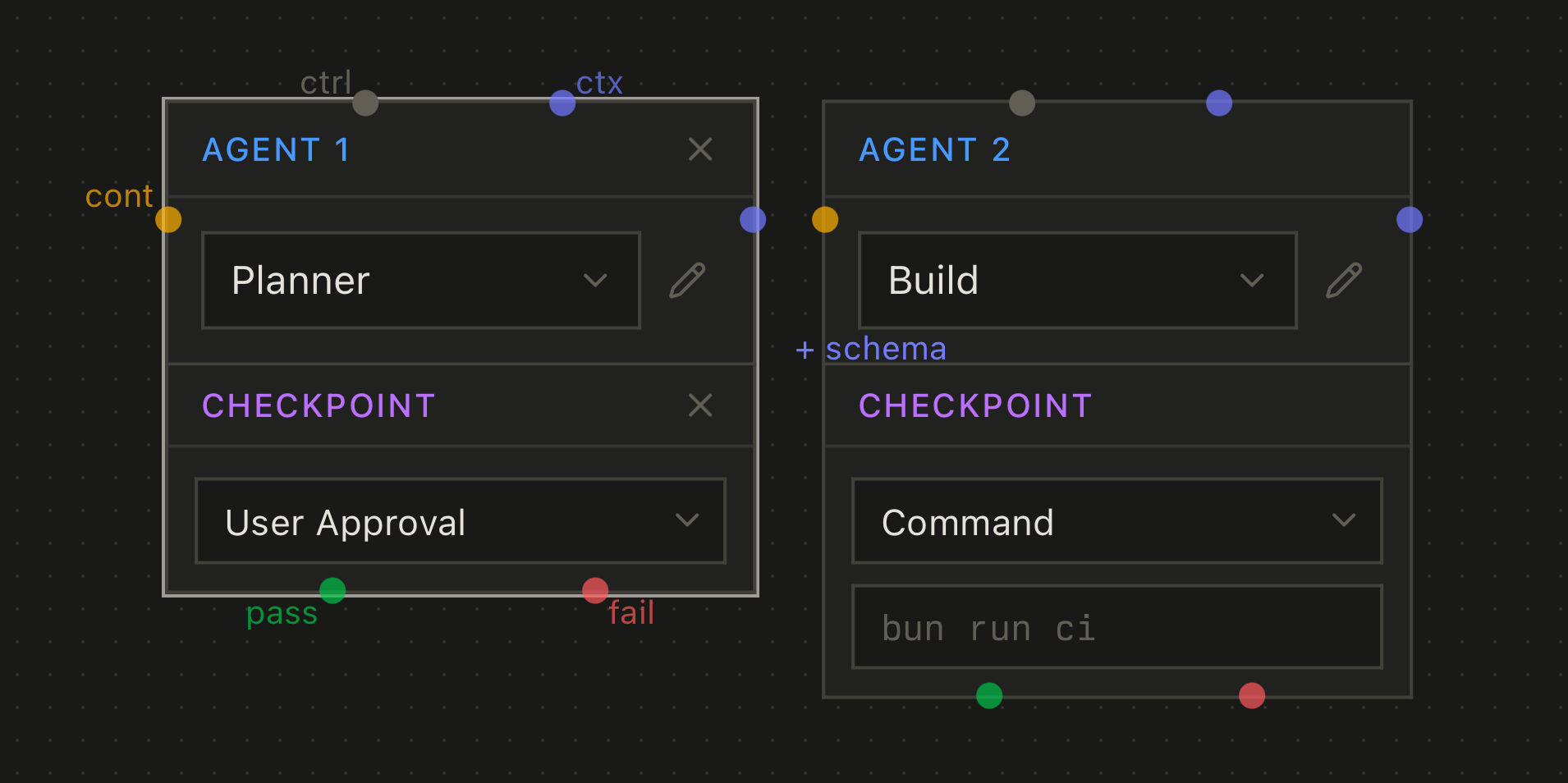
Checkpoints pause the workflow at specific points. They attach to agent or action nodes.
Approval checkpoints — Wait for human approval or rejection before continuing. The workflow pauses until someone reviews and approves.
Programmatic checkpoints — Run a command; continue if exit code is 0. If the agent runs the same command during its work (like bun run ci), those results are cached by commit. When the checkpoint evaluates, it uses the cached result instead of re-running.
Editing Recipes
The visual recipe editor provides several shortcuts for building workflows:
Creating Nodes
- Click "Add Node" — Opens the node type picker
- Drag from any output port — Drop on empty canvas to show the node picker at that location, automatically connecting the new node
- Press
Tabwith a node selected — Opens the node picker below the selected node with auto-connections - Press
Nwith a node selected — Quick-adds an Agent node below with auto-connections
Connecting Nodes
- Drag from output to input — Creates an edge between ports
- Shift+drag between nodes — Creates both control and context edges simultaneously (when both nodes have the necessary ports)
Port Labels
Port labels show when a node is selected and the port has no connected edge. This keeps the canvas clean while still showing available connection points when needed.
Execution Lifecycle
When a recipe runs:
- Trigger fires — Creates an Execution for this recipe run
- Jobs created — Agent nodes get corresponding Jobs in pending state
- DAG advances — Actions run, conditions evaluate, jobs start when dependencies complete
- Agents execute — Each runs in its own Claude session with resolved inputs
- Outputs captured — Agents produce artifacts via schema tools
- Context flows — Downstream nodes can now resolve their inputs
- Repeat — Until all paths complete
Recipe File Format
Recipes are stored as YAML files for portability and version control.
cairnVersion: 1
name: Default Flow
description: Standard plan → implement → PR workflow
trigger: issue
context: issue
nodes:
- id: trigger-1
  type: trigger
  name: Trigger
  position: 60@50
  config:
    triggerType: issue
- id: planner-1
  type: agent
  name: Planner
  position: 60@180
  config:
    agent: planner
- id: builder-1
  type: agent
  name: Builder
  position: 60@380
  config:
    agent: build
- id: action-1
  type: action
  name: PR
  position: 60@540
  config:
    action: create_pr
edges:
- from: trigger-1@control-out
  to: planner-1@control-in
  type: control
- from: trigger-1@context-out
  to: planner-1@context-in
  type: context
- from: planner-1@approve-out
  to: builder-1@control-in
  type: control
- from: planner-1@context-out
  to: builder-1@context-in
  type: context
- from: builder-1@control-out
  to: action-1@control-in
  type: control
- from: builder-1@context-out
  to: action-1@context-in
  type: context
- from: planner-1@control-out
  to: builder-1@control-in
  type: control
File locations:
- Workspace —
~/.cairn/recipes/for recipes available across all projects - Project —
.cairn/recipes/for recipes specific to a repository